Stoka.
A multi-tenant shop management system for boutiques, shoe shops, perfume stores, cosmetics, jewellery, hair products — and any retailer managing staff and stock.
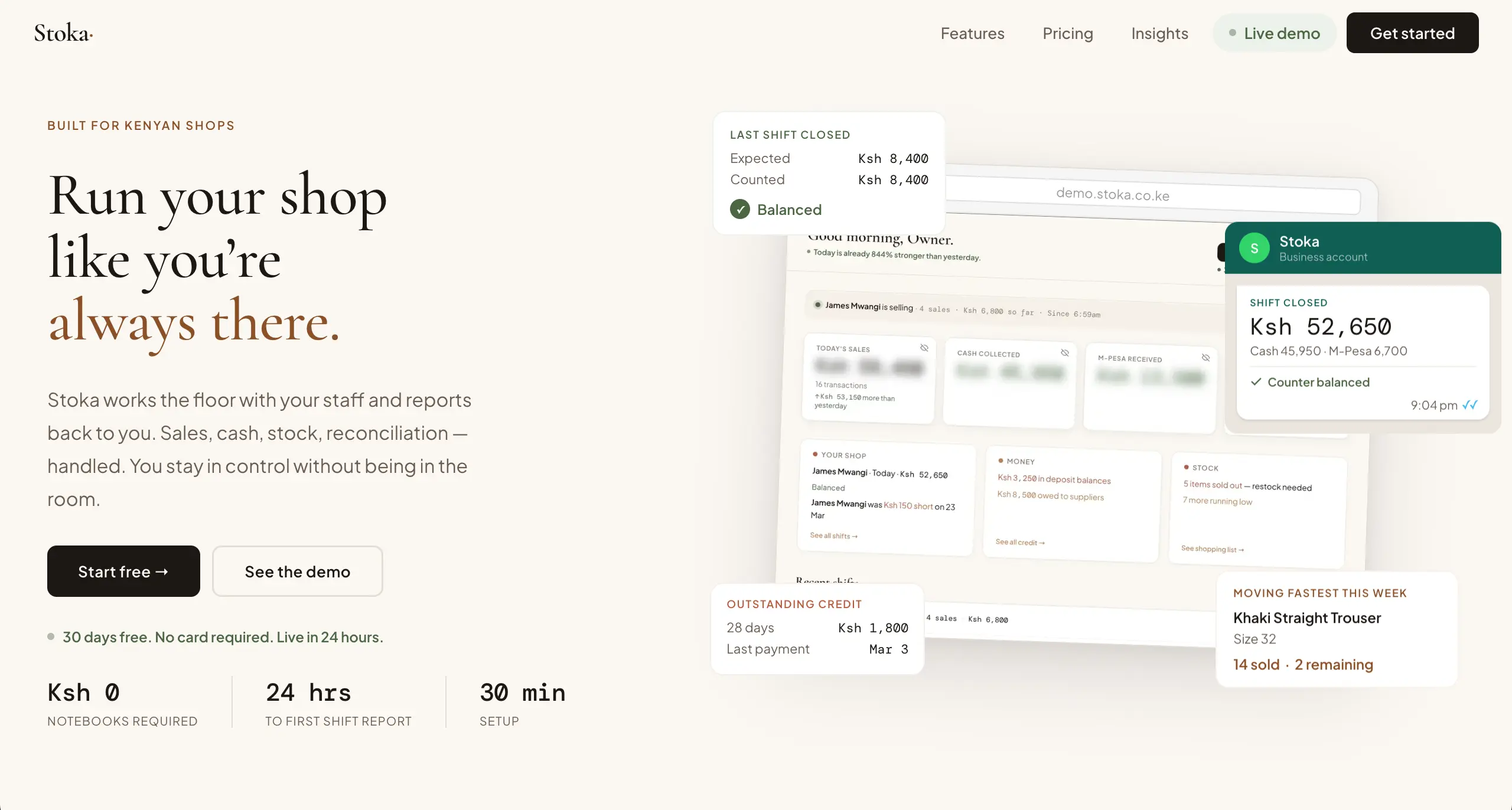
marketing homepage · persuasion journey from headline to signup
The client came in asking for a POS system for retail shops. On the surface, it sounded straightforward. But as we talked more, it became clear that what they wanted wasn’t just a POS.
Most of these shops were still running on notebooks. Sales were written down manually. Stock was tracked in memory. And the systems available in the market felt too generic — mechanical, rigid, and disconnected from the reality of how these businesses actually operate.
We didn’t want to build another one of those. We wanted to build something that serves the people using it — not just records what they do.
And so my question became: how do I build a system that makes a shop owner feel present in her business — even when she isn’t there?
I like to think in systems. So as I listened to the client, I reframed the problem. What they were really trying to sell to their customers wasn’t software.
It was freedom.
They wanted to give shop owners more control, more clarity, and more peace of mind. So the system had to be built around that idea: making the owner feel present — without actually being there.
Everything that follows comes from that decision.
Once I understood that, the next step was to understand the people using it. These businesses are small. Usually 1–5 staff members. They don’t sit behind computers all day — in fact, many don’t use computers at all. So forcing them into a desktop-based system would create friction immediately.
The system should live on the phone.
Owners can check their business from anywhere. Staff can process sales without needing extra hardware. No additional investment in laptops or complex setups. This one decision alone removed a lot of barriers.
Most shop owners didn’t start their businesses to be tied down by them. They started them for financial freedom — and ultimately, time. So the system had to give that back.
I didn’t want a dashboard that shows numbers and waits. I wanted one that speaks.
Instead of asking the owner to figure things out, the system surfaces meaning automatically: what’s selling most, what’s not moving, which days perform best, whether stock is healthy, who their best staff member is, how much they’ve sold this month. It also quietly watches and flags issues — low or out-of-stock products, unpaid supplier balances, credit that hasn’t been settled, shift discrepancies.
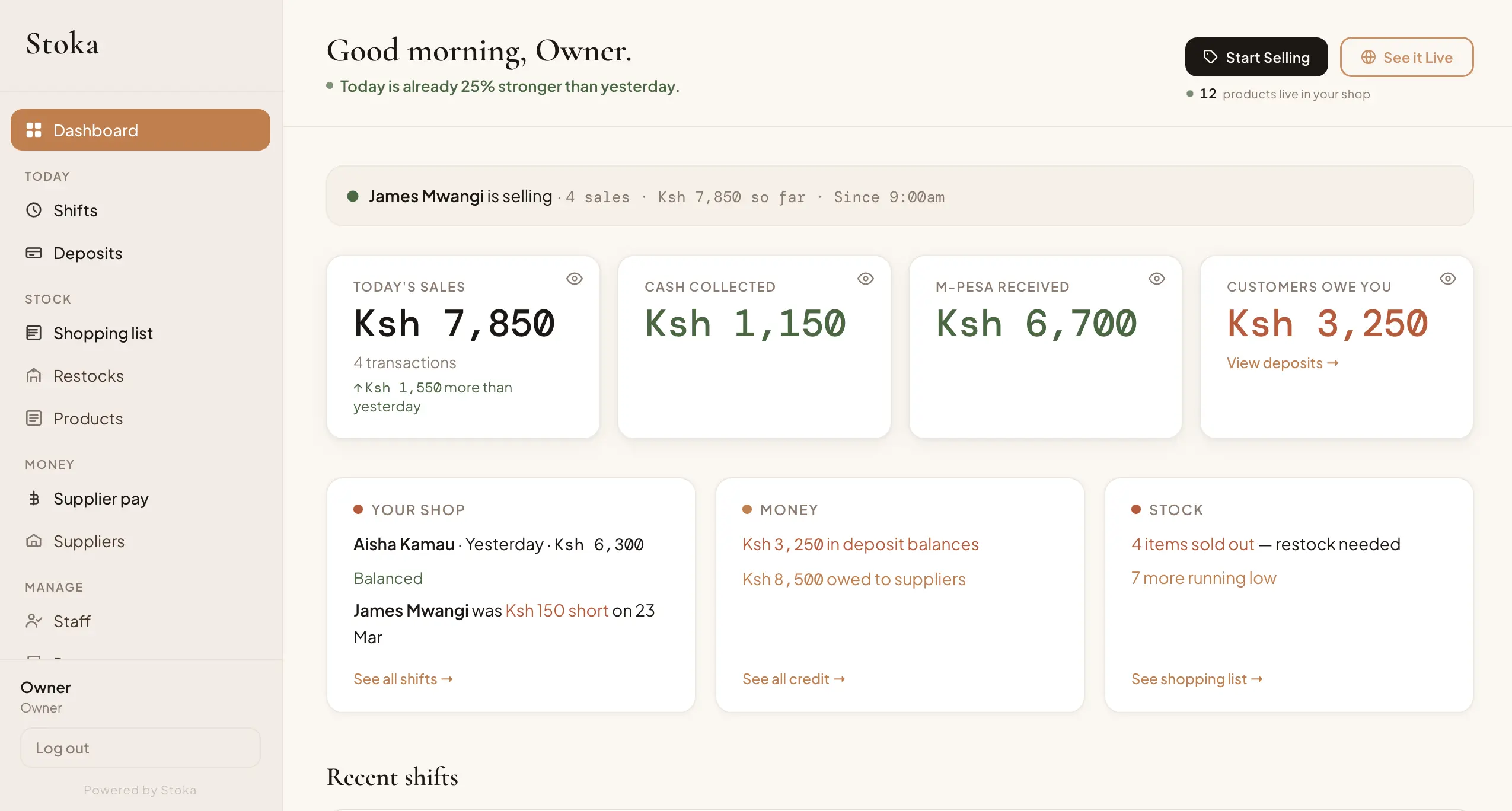
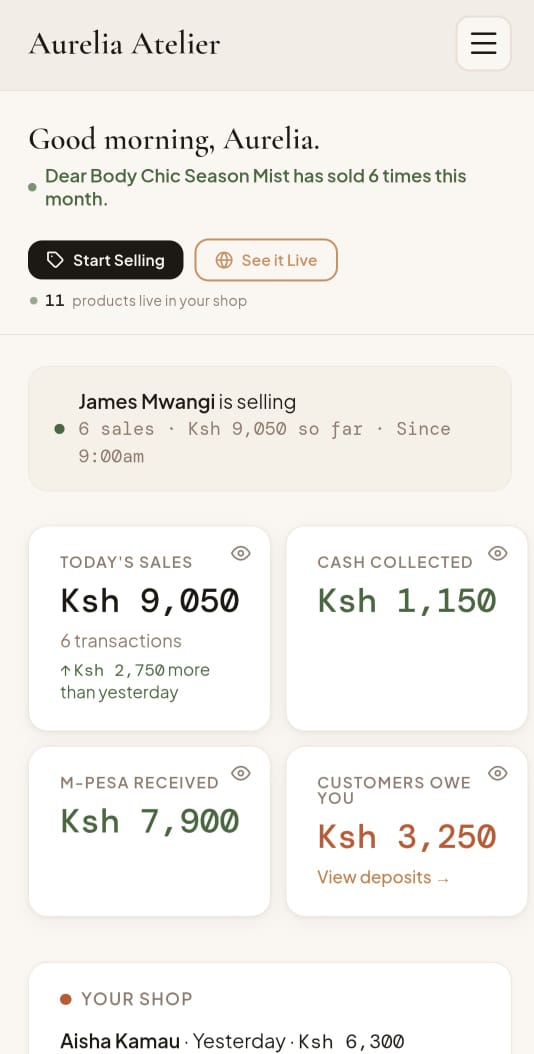
The system answers important questions before the owner even asks them.
One of the biggest problems I noticed was restocking. Owners would go to the market and rely on memory or rough estimates — “What sold last week? What do I need more of?” That process is slow, inconsistent, and easy to get wrong.
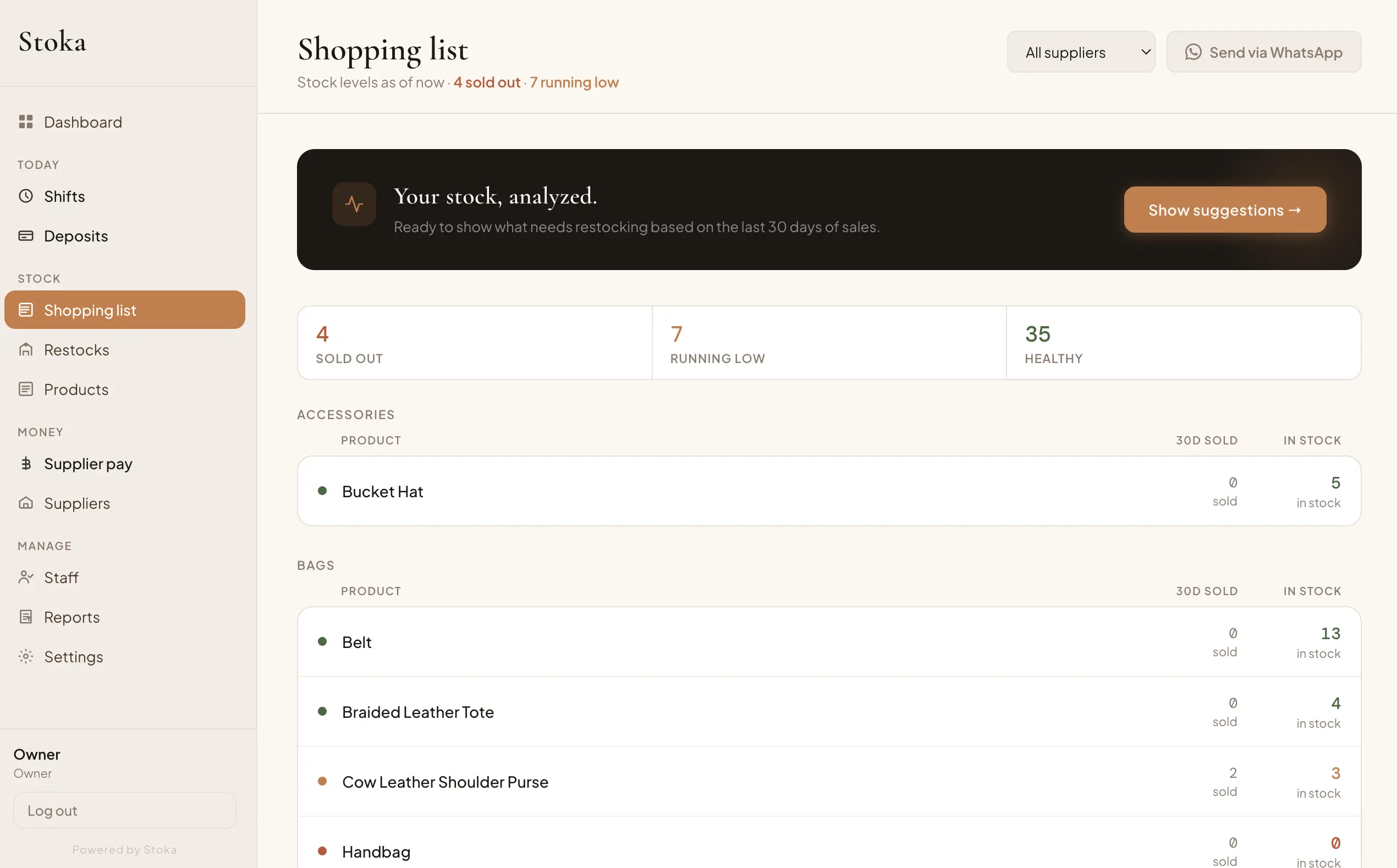
So I built a shopping list that removes the guesswork entirely.
Products are colour-coded by urgency. Each shows how many were sold in the last 30 days and how many to restock based on actual sales. Owners can filter by supplier — so when standing at a specific stall, they see only what they need. With one tap, the list goes via WhatsApp. The weekly market trip becomes precise, fast, and intentional.
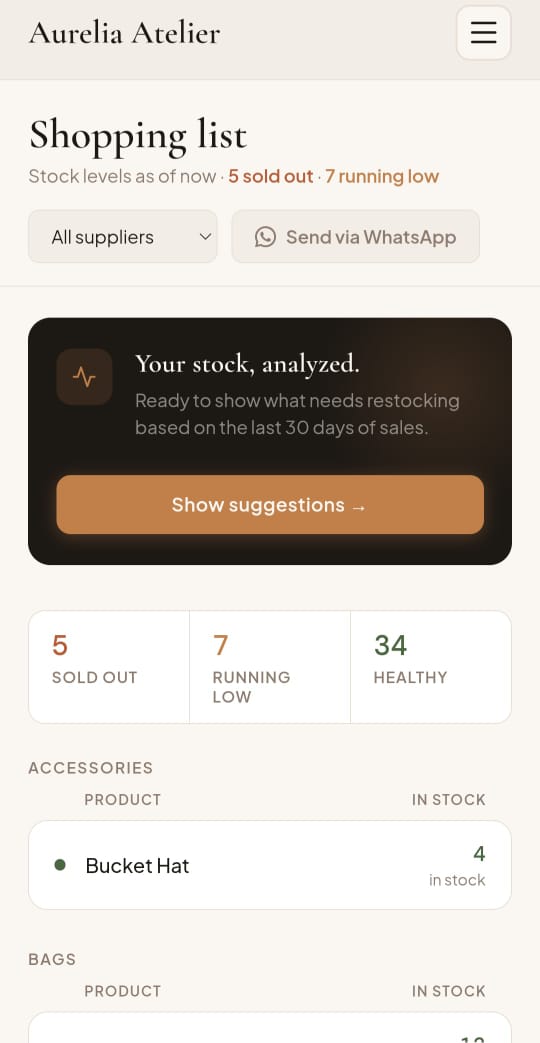
When stock arrives, recording it is just as simple: select the supplier, view their products, enter quantity and cost. The system updates immediately. It also tracks what was paid and what’s still owed. If there’s an outstanding balance, it stays visible — nothing gets forgotten.
decides what to buy
what came in
stays accurate
stay clear
Another major issue was trust. Shop owners often worry about theft, misreported sales, cash discrepancies. I wanted to address that without making the system feel heavy or controlling.
So I introduced shift summaries via WhatsApp.
At the end of each shift: staff count the cash, the system calculates expected totals, any discrepancies are highlighted, and a summary is sent to the owner with one tap. No friction for staff. Immediate clarity for the owner.
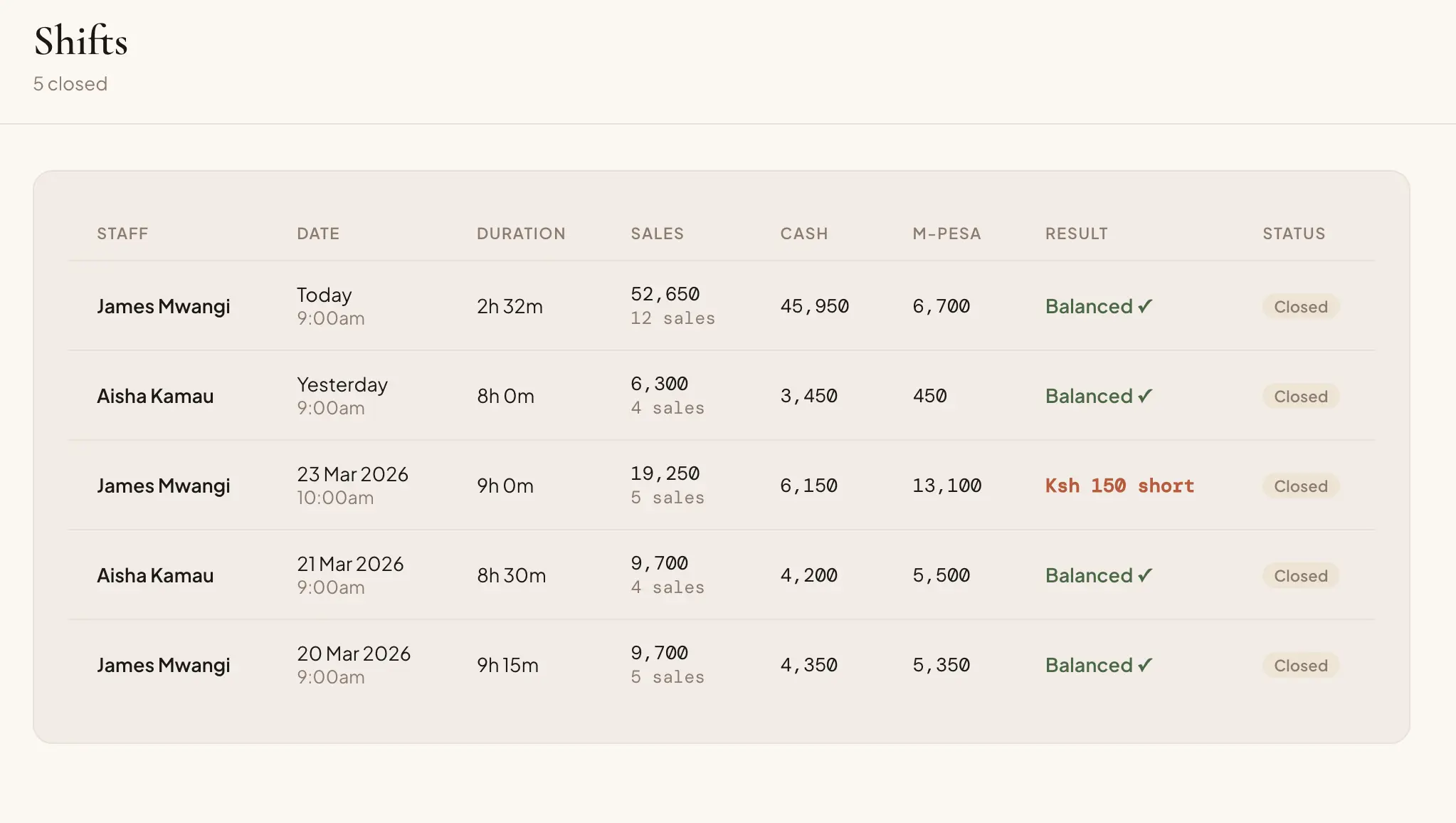
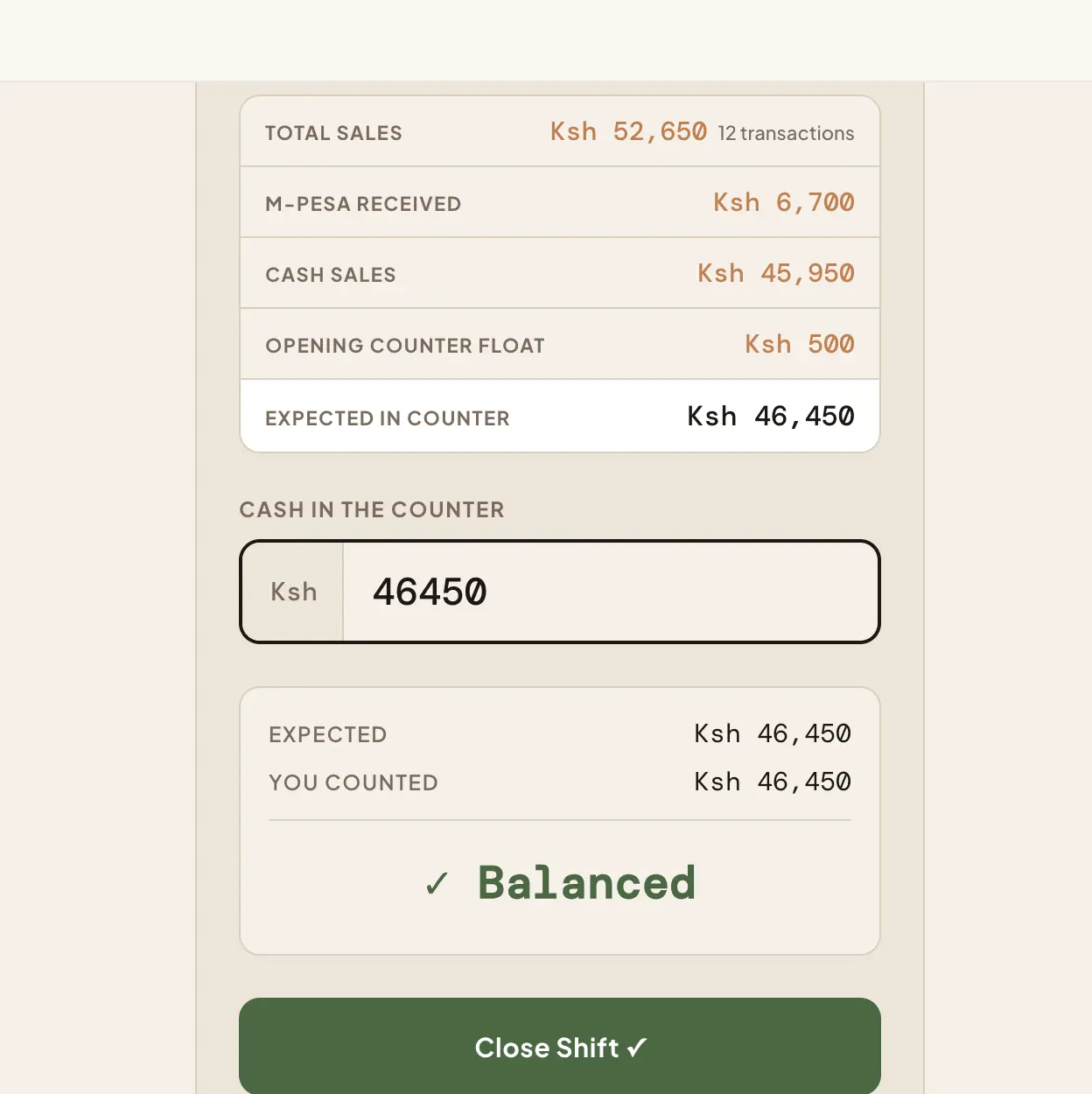
Most of the time, that one message is enough. If they want more detail, they can always check the dashboard.
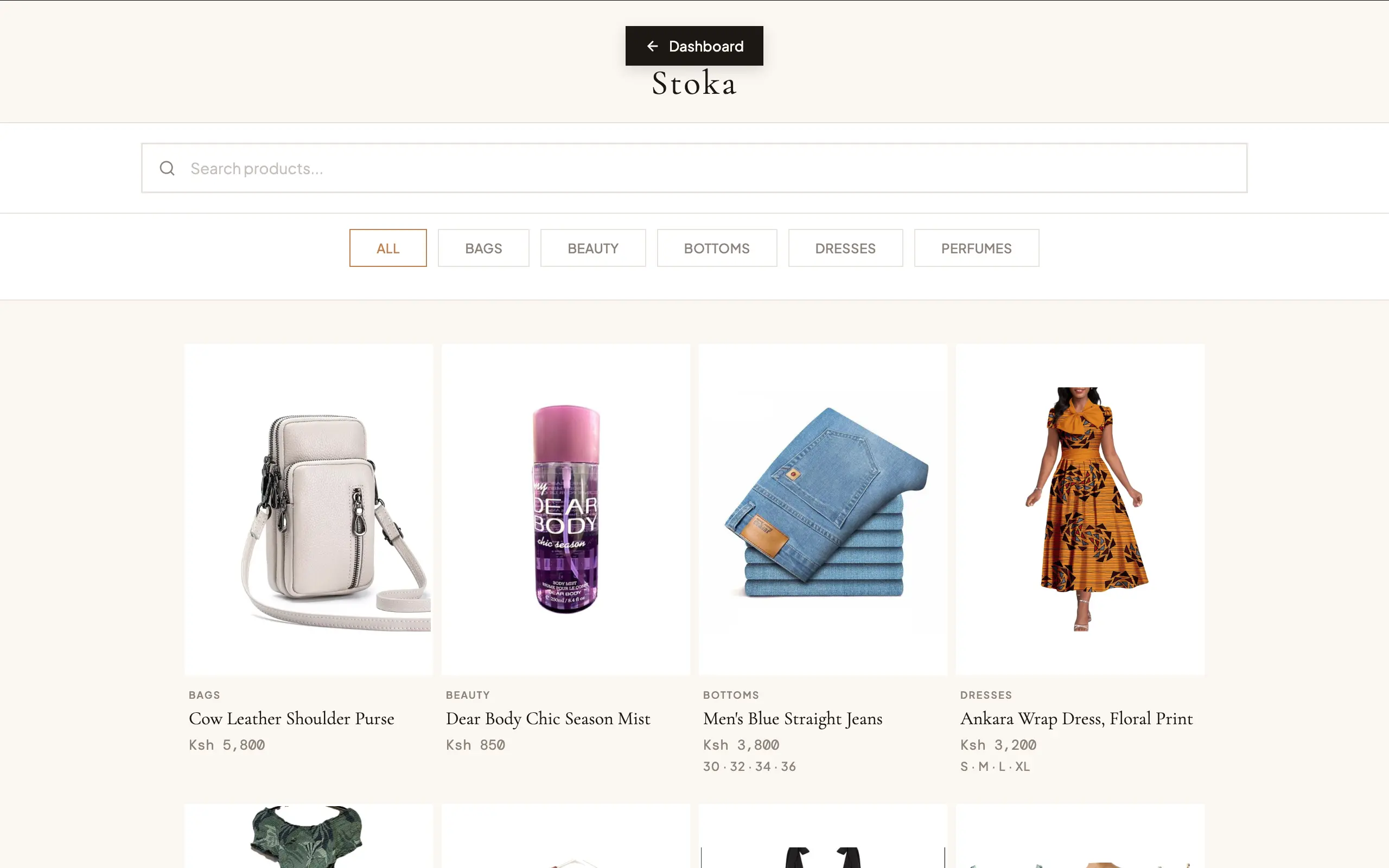
During research, I noticed something important: most of these businesses sell through WhatsApp. They post products, customers reply, conversations happen there. So instead of building a full e-commerce system, I kept it simple.
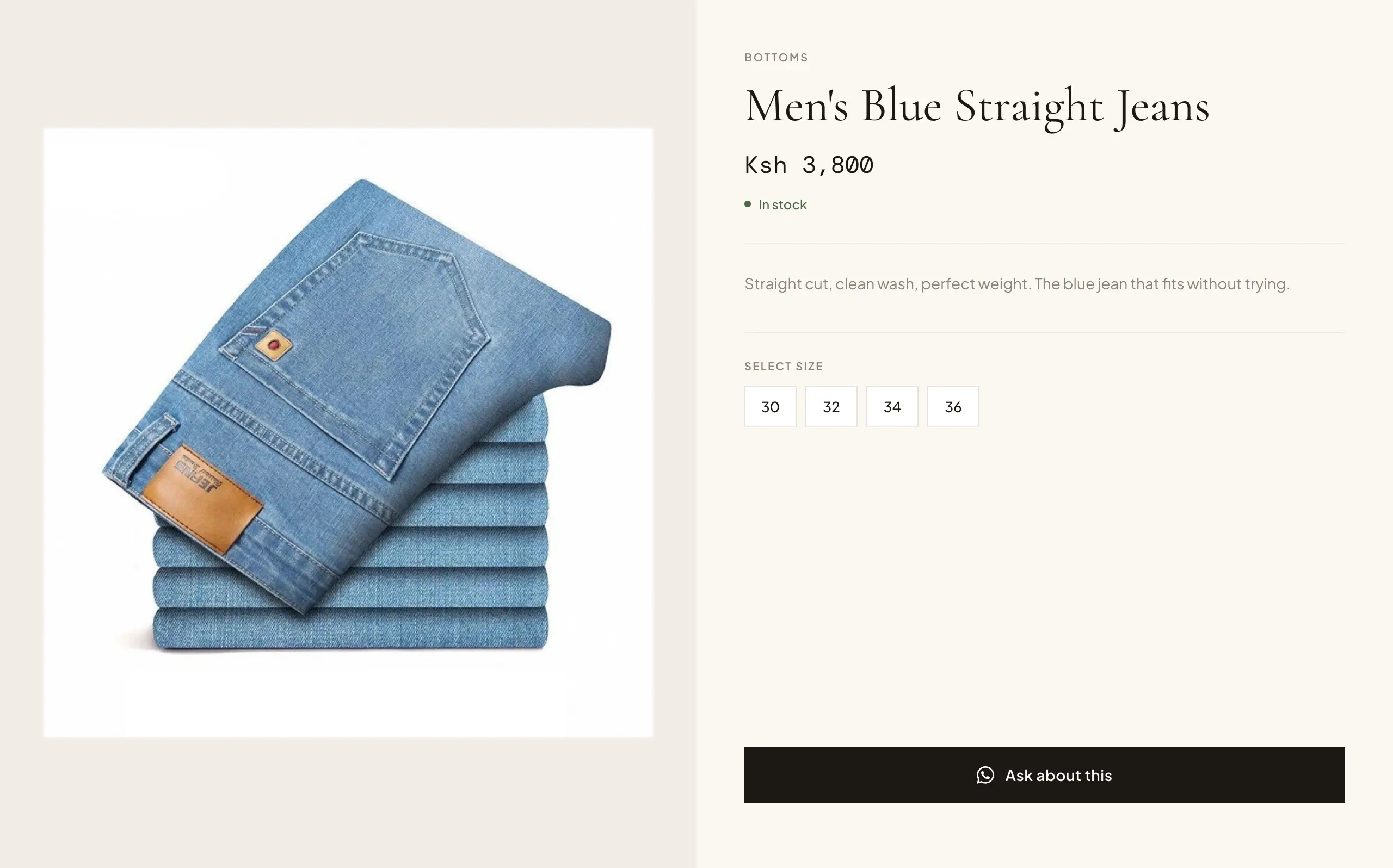
Each shop gets a public page. One button per product. That button opens WhatsApp.
The customer taps, a pre-filled message is sent, the conversation starts. The link can be shared anywhere — WhatsApp status, Instagram bio, direct messages. It’s not about replacing how they sell. It’s about making it easier.
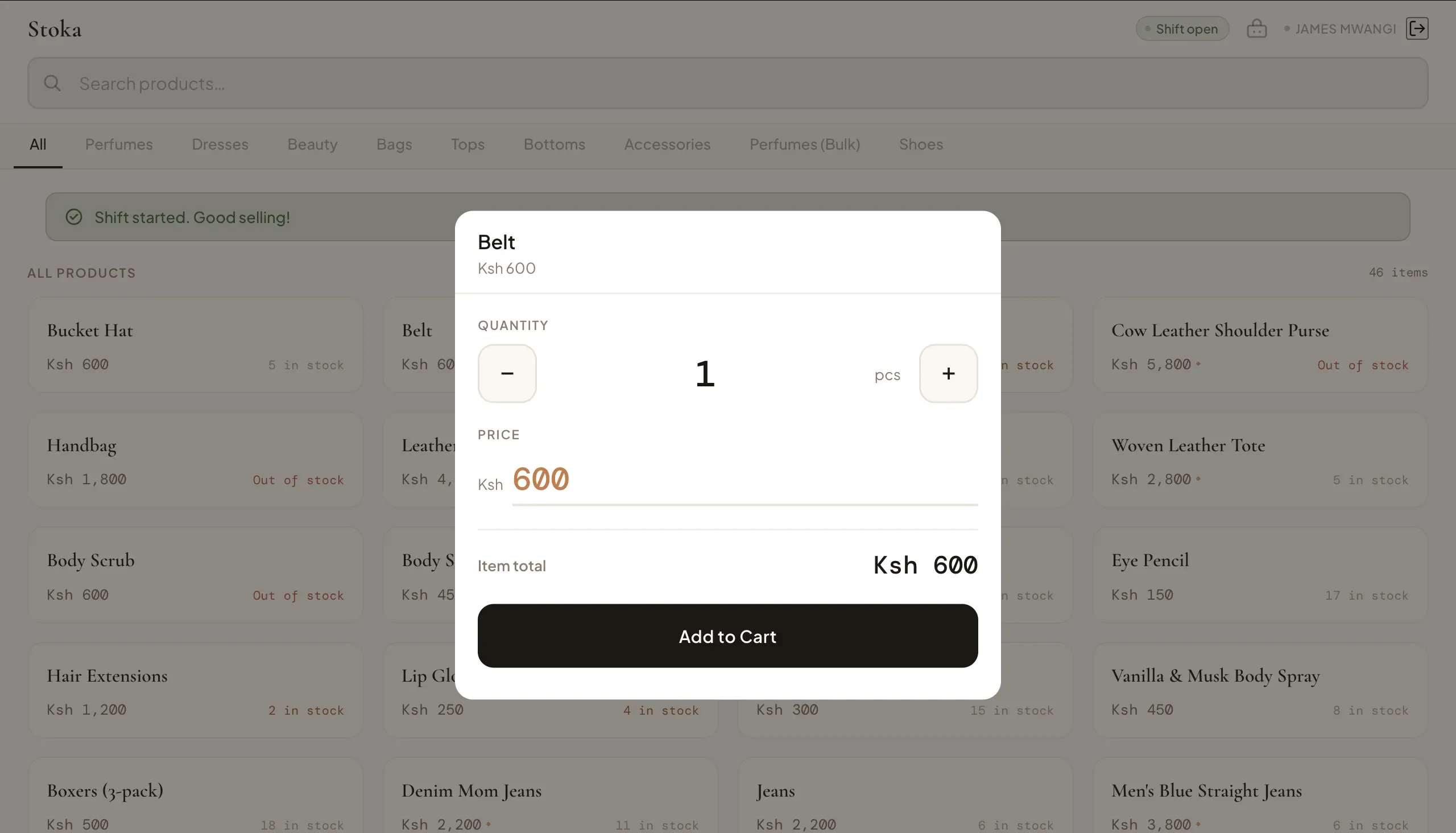
For staff, the goal was clear: keep it extremely simple. Most aren’t tech-savvy, so the system had to feel natural immediately.
I reduced the entire sales process to three taps.
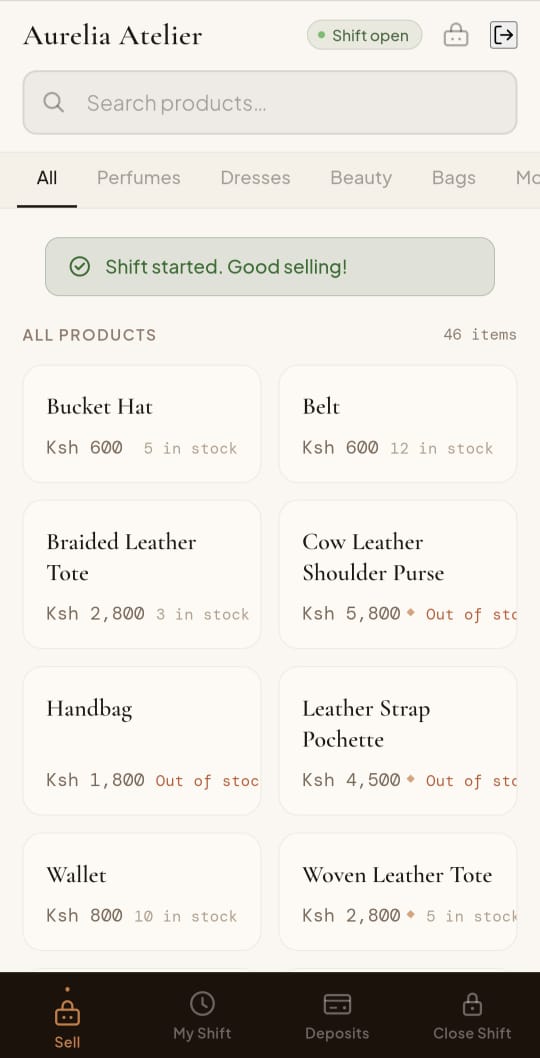
At the end of the shift: count cash, system verifies, send summary. No complexity. No learning curve.
I won’t go deep into the super admin side due to NDA, but I’ll talk about something equally important: the marketing system.
I wanted the product to market itself.
The homepage isn’t just a list of features — it’s a persuasion journey. Each section answers a specific doubt or speaks to a desire: a strong emotional hook at the top, clear identification (“this is for your kind of shop”), addressing staff trust, showing how shifts are controlled, demonstrating restocking intelligence, introducing the shop page. By the time someone reaches the end, they’re not just informed — they’re convinced. Every signup becomes revenue for the client, without direct selling.
The demo is one of the most intentional parts of the system.
It’s not just a preview —
it’s a psychological handoff.
When someone enters their shop name, the system adapts. It stops being “a demo” and starts feeling like their shop is running on Stoka. The interface reflects their input. The data feels alive. It behaves like a real business.
By the time they explore it, they’re no longer asking: “Should I try this?”
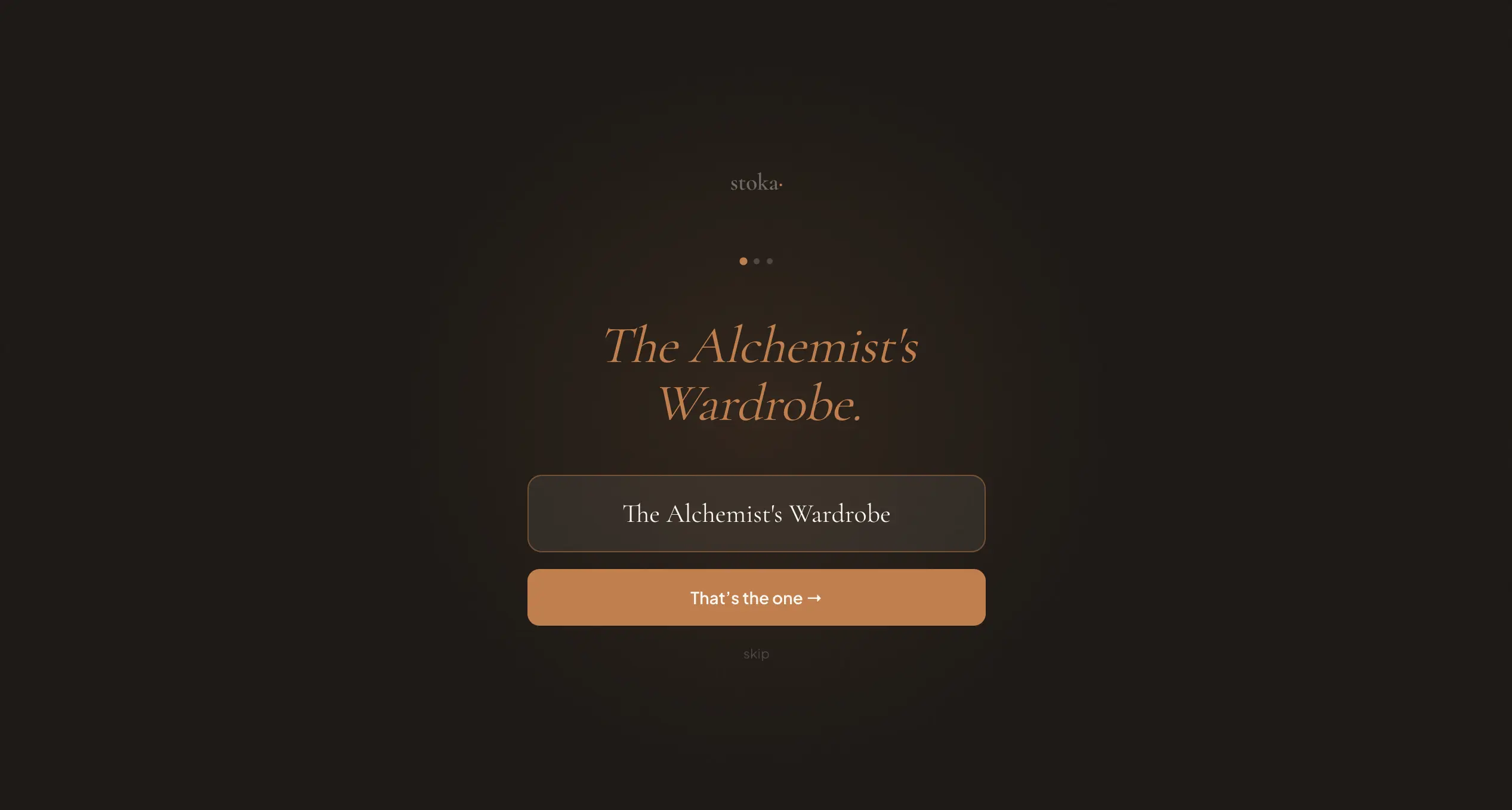
step 1 · type your shop name
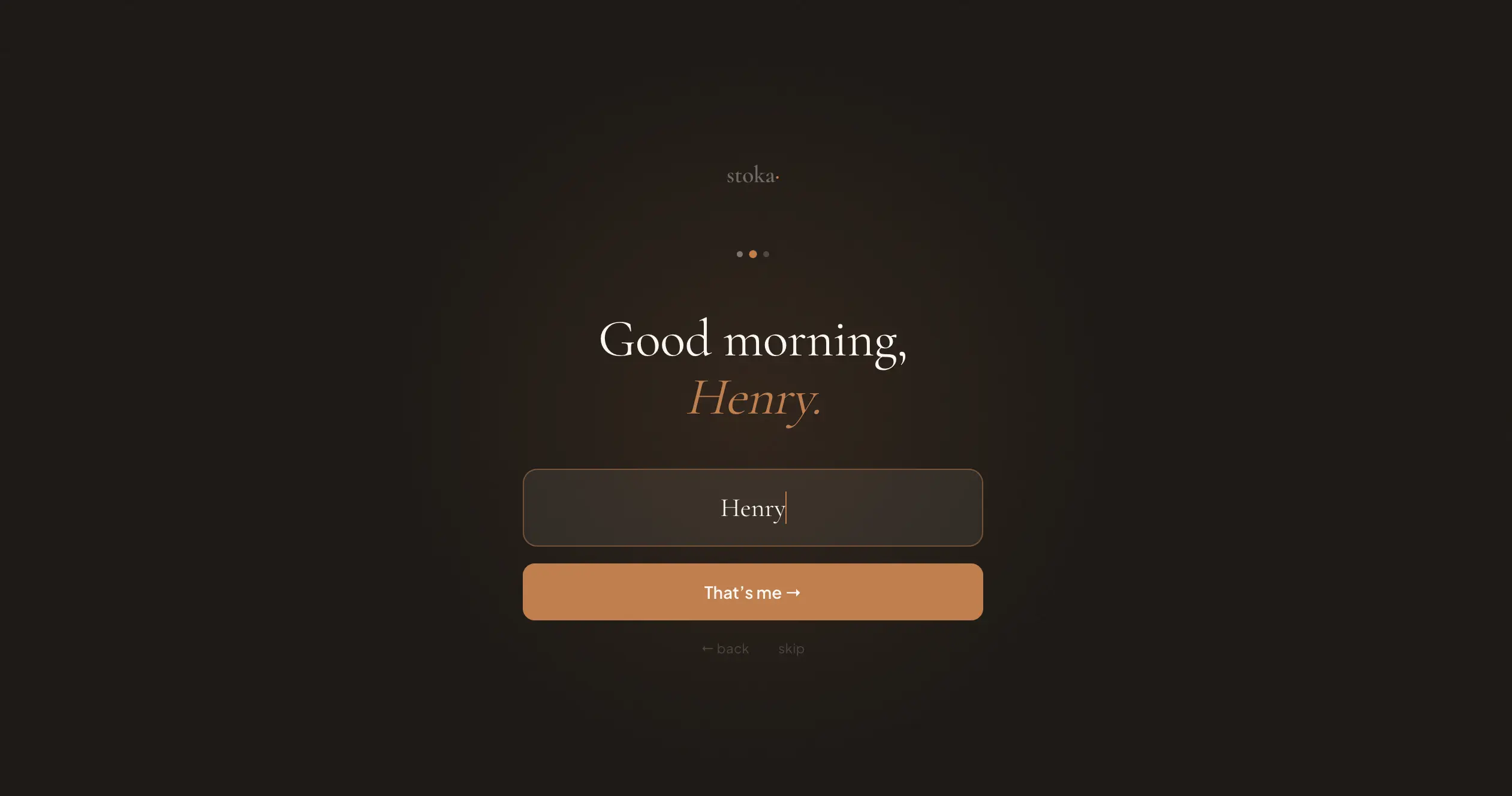
step 2 · your name
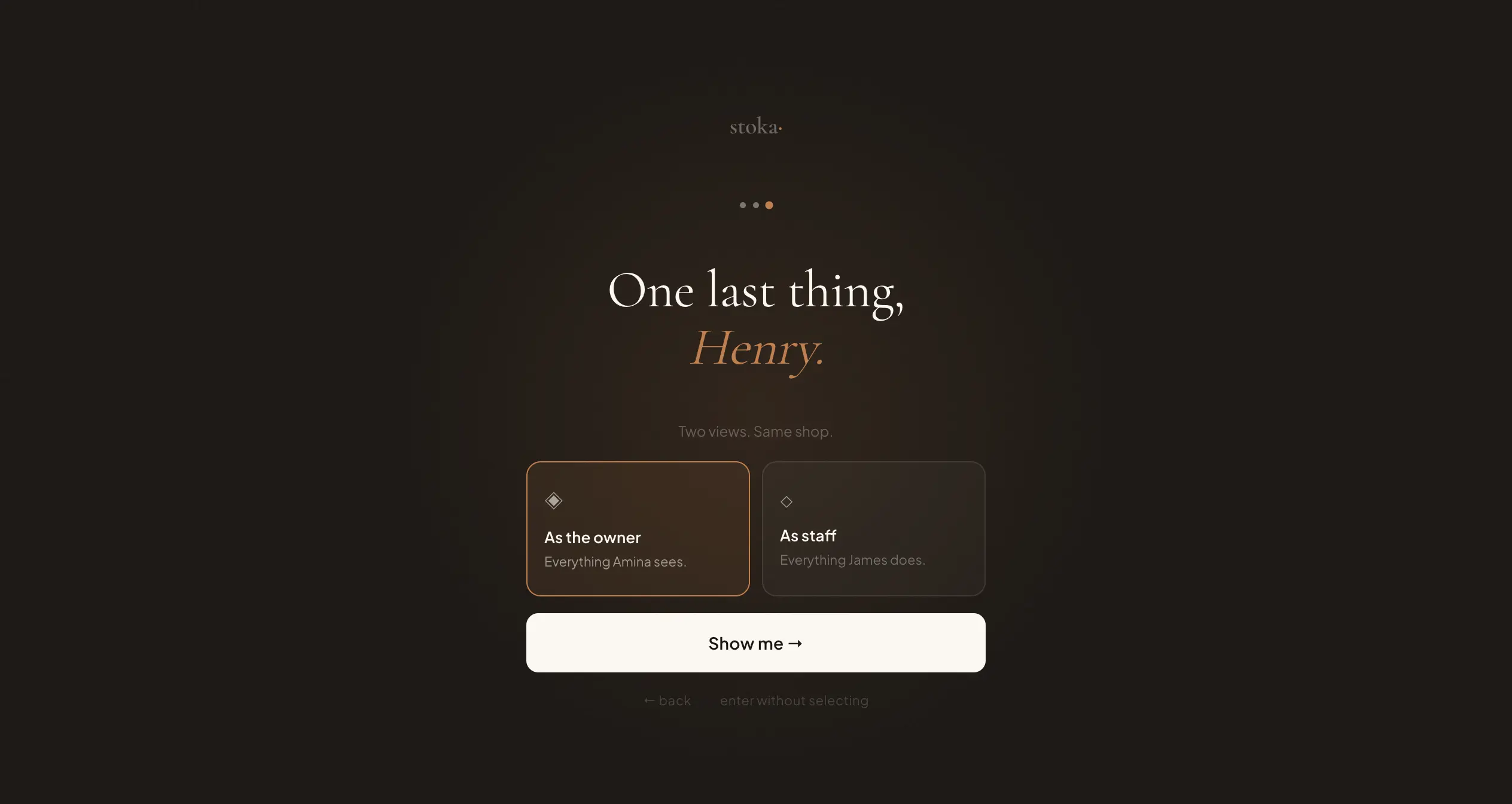
step 3 · pick your role
They typed a name. The system answered.
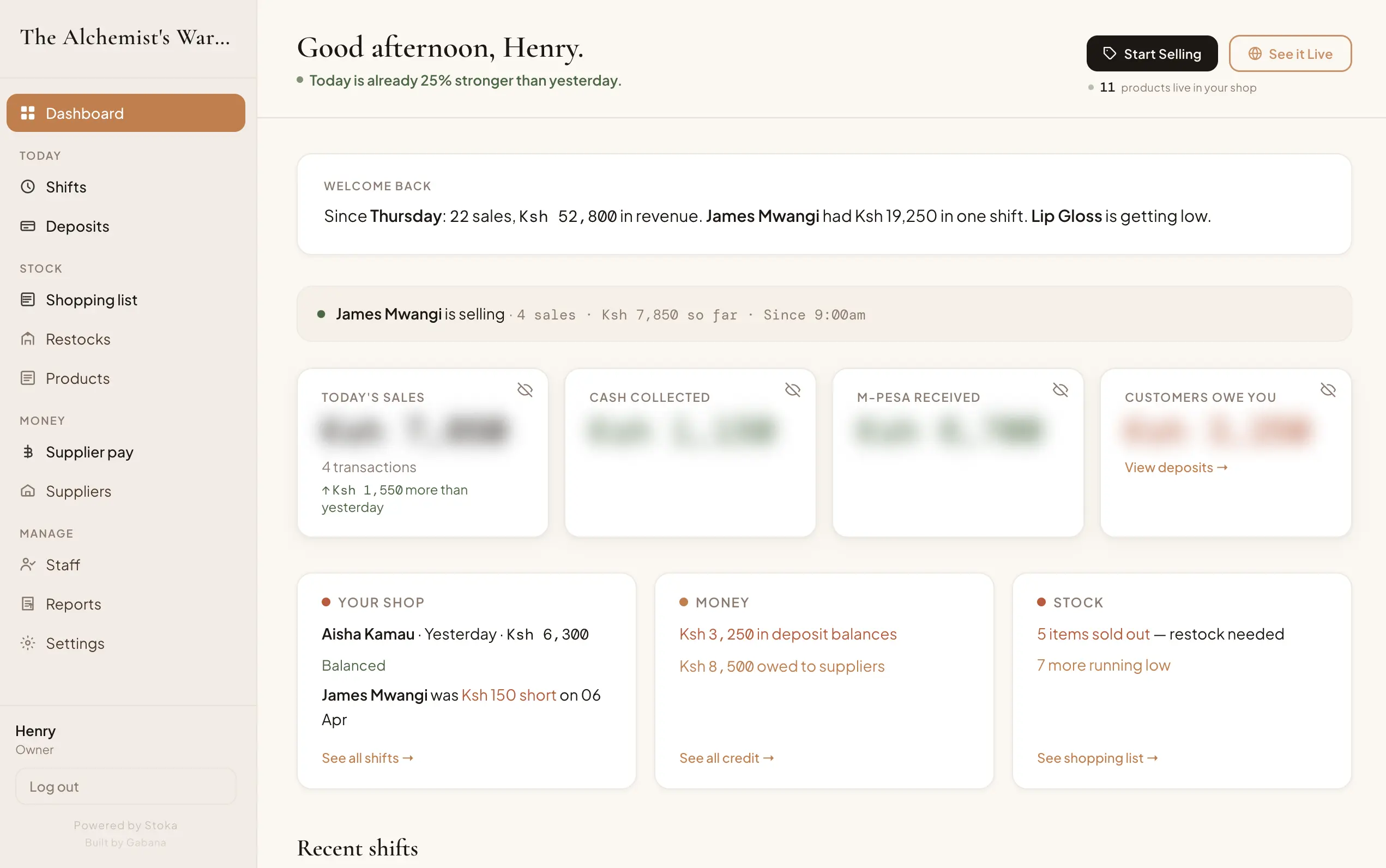
result · good afternoon, Henry.
They’re no longer asking “Should I try this?” — they’re asking “How do I start using this with my real data?”
Every shop page acts as a quiet marketing channel.
When owners share their link, customers see their products, their brand — and subtly at the bottom: “A Stoka shop.” No aggressive branding. No interruptions. The platform grows through real usage — naturally.
We’re living in a time where AI is changing what’s possible, and as developers, we now have the tools to take ideas much further than we could before. This project pushed me in that direction. It forced me to think in systems — to step beyond just building features and start thinking more like a product engineer. Stoka gave me the space to practice that in a real, meaningful way.
Good systems don’t just manage operations. They change how people experience their work — and their lives.
With Stoka, the goal wasn’t just efficiency. It was to genuinely serve the people using it — to give shop owners their time back, help them feel in control even when they’re not physically present, and create a smoother, calmer way to run their business.
In the end, the system does more than track sales. It quietly supports the freedom that made them start in the first place.
If this way of building resonates —
No brief required · Tell me what you’re trying to make